
MuleSoft for Salesforce: How Integration Helps You Sell More
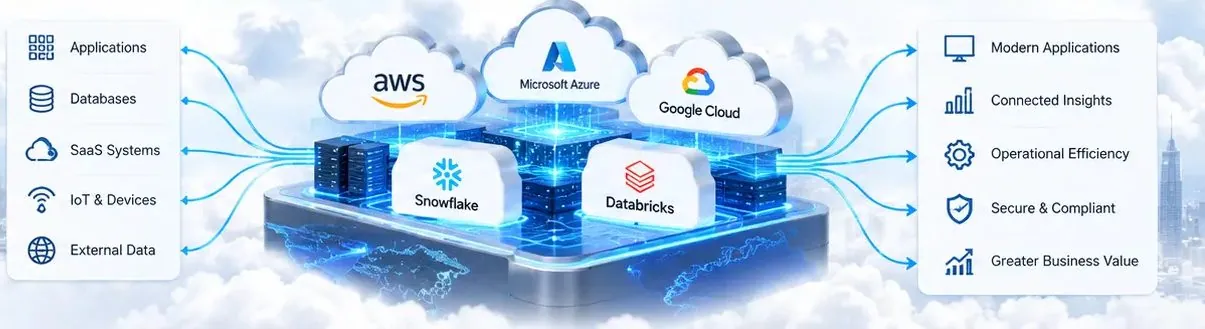
MuleSoft is Salesforce's integration platform. It connects Salesforce with ERP, ecommerce, finance, HR, legacy databases and other cloud apps through reusable APIs, so data moves between systems automatically instead of through exports and copy-paste. It helps you sell more because reps see stock, pricing, orders and invoices inside Salesforce, quotes and orders flow straight to the ERP, marketing works with complete customer data, and AI agents can take real actions safely. This guide explains how MuleSoft works with Salesforce and when it is worth it.
What MuleSoft includes
- Anypoint Platform: design, build, deploy, secure and monitor APIs and integrations in one place.
- Connectors: ready-made connectors for Salesforce, SAP, NetSuite, Microsoft Dynamics, databases, files and many SaaS apps.
- API management and gateway: security, rate limits and analytics for every API you publish.
- MuleSoft Agent Fabric: tools to discover, orchestrate, govern and observe AI agents and MCP servers across platforms, including an agent registry, agent broker, governance policies and an agent visualizer.
- MCP and A2A support: publish APIs as Model Context Protocol (MCP) tools and connect agents to each other through Agent2Agent (A2A) standards.
- MuleSoft RPA and document processing for systems without APIs.
API-led connectivity in plain words
MuleSoft encourages three layers of APIs. System APIs talk to each back-end system, such as the ERP or the order database. Process APIs combine data for a business purpose, such as 'customer orders' or 'available stock'. Experience APIs shape that data for a channel, such as Salesforce, a mobile app or a partner portal. The benefit is reuse: once an 'inventory' API exists, Salesforce, your website and an AI agent can all use it without new point-to-point integrations.
How integration increases sales
- Faster quotes: reps see live pricing, discounts and stock in Salesforce and send accurate quotes in minutes.
- Quote-to-cash without re-typing: a won opportunity creates the order and invoice in the ERP automatically, so customers are billed and served sooner.
- Complete customer view: orders, invoices, payments and support history appear on the account, so reps spot upsell and renewal opportunities.
- Better marketing: Marketing Cloud and Data Cloud get purchase and product data for segments and journeys that drive repeat orders.
- Partner and dealer sales: portals show partners real-time availability and order status, reducing back-and-forth.
- Useful AI agents: Agentforce agents can check order status, create returns or update records through governed APIs instead of guessing.
MuleSoft, AI agents and MCP
As companies deploy AI agents from Salesforce, Microsoft, Google, AWS and others, the hard questions become: which agents exist, what data and actions can each one reach, and who is watching? MuleSoft Agent Fabric addresses this with a registry of agents and MCP servers, policies applied through the gateway, cost and budget controls, and a visual map of agent interactions. Its release notes through 2026 add scanners for agents on Amazon Bedrock, Google Vertex AI, Microsoft platforms and ServiceNow, A2A v1.0 support and OAuth for remote MCP servers. For businesses, it means AI agents can use the same secure, monitored APIs as your other applications.
When MuleSoft is worth it, and when it is not
- Worth it: many systems to connect, several teams reusing the same data, strict security or audit requirements, high volumes, or plans for AI agents across platforms.
- Maybe not yet: one or two simple integrations that native connectors, Salesforce Flow or a lighter tool can handle.
- Always: compare the total cost of licences, build and support against the time saved and revenue protected; check the vendor's current pricing before you decide.
A sensible rollout plan
- Map systems and data flows, and pick two or three high-value use cases.
- Design system and process APIs for those use cases with reuse in mind.
- Set security from day one: authentication, encryption, rate limits and data masking for personal data.
- Monitor everything: alerts for failed messages so sales never works on stale data.
- Publish APIs in Anypoint Exchange so other teams, and later AI agents, can reuse them.
Frequently asked questions
What is MuleSoft used for with Salesforce?
MuleSoft connects Salesforce to ERP, ecommerce, finance, databases and other apps through reusable APIs, so customer, order, pricing and stock data stay in sync without manual work.
How does MuleSoft help increase sales?
It gives reps live pricing, stock and order data, automates quote-to-cash, gives marketing complete customer data and lets AI agents take real actions, all of which shorten sales cycles and support repeat business.
What is MuleSoft Agent Fabric?
It is MuleSoft's set of tools to discover, orchestrate, govern and observe AI agents and MCP servers across platforms, including an agent registry, broker, governance policies and visualizer.
Do I always need MuleSoft for Salesforce integrations?
No. Simple integrations can often use native connectors, Salesforce Flow or other tools. MuleSoft makes sense when you have many systems, reuse, security needs or AI agents across platforms.
Can Quant Tech build MuleSoft integrations?
Yes. Quant Tech designs Salesforce integrations with MuleSoft and other tools, connecting ERP, ecommerce, marketing and support systems, and exposing APIs for Agentforce agents.
Tired of re-typing data between Salesforce and your other systems? Talk to Quant Tech. We will map your data flows, pick the integrations with the fastest payback and recommend whether MuleSoft or a lighter option fits.
Talk to a Salesforce, HubSpot or Zoho expert—free 30-minute consultation.